Download. Convert. Enjoy.
Your simple, powerful desktop media downloader and converter.
MediaGrabs lets you download permitted media and convert video and audio files with a fast, clean and easy-to-use desktop experience.
 MediaGrabs Desktop — Download. Convert. Enjoy.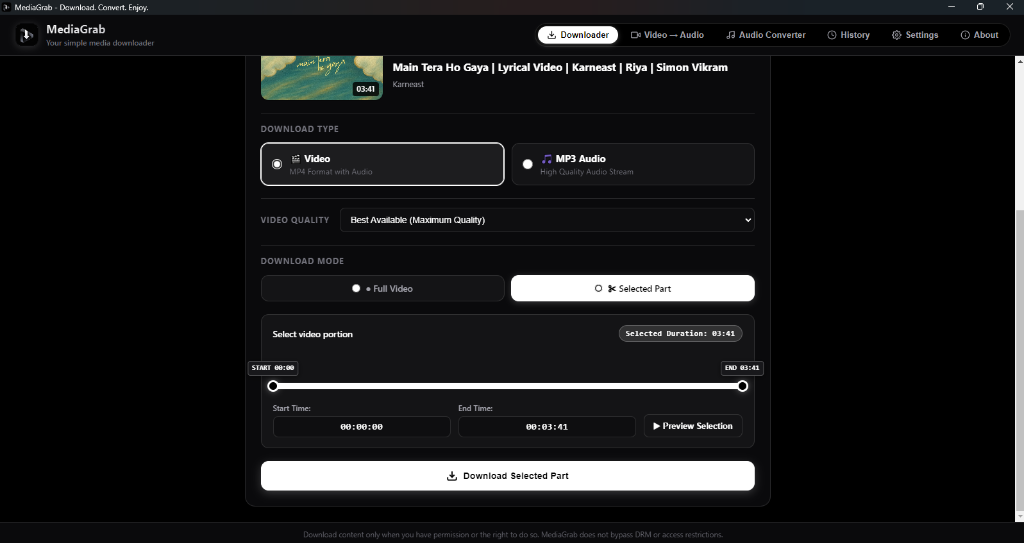
Engineered for Media Enthusiasts
Everything you need to capture permitted media, extract studio-grade audio, and convert files locally on your PC.
Video Downloader
Download permitted videos in supported resolutions with native desktop stability.
MP3 Audio
Extract high-quality audio streams directly from supported media with custom bitrates.
Clip Selection
Select and download only the part you need with exact start and end timestamps.
Fast Processing
Designed for quick and efficient media processing utilizing your PC hardware.
Video Conversion
Convert video files on your computer into portable audio and lightweight video formats.
Audio Conversion
Convert and process supported audio files with clean output parameters.
Privacy Focused
Temporary processing files are handled with privacy and automatic local cleanup in mind.
Desktop Experience
Native Windows application designed for a smooth, distraction-free desktop workflow.
How It Works in 3 Quick Steps
No convoluted settings, no suspicious popups. Just a straightforward desktop workflow designed to save you time.
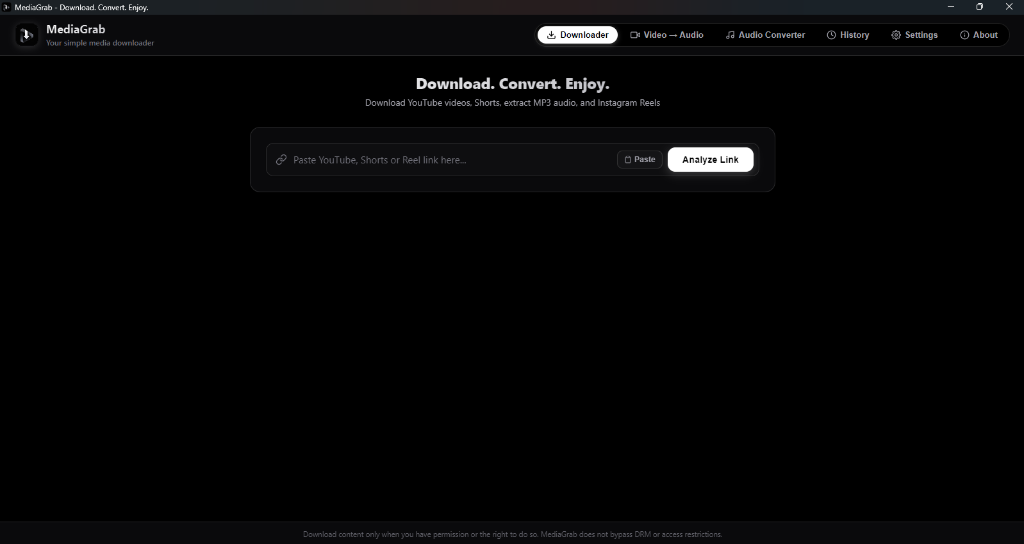
Paste
Paste the media URL into MediaGrabs.
Copy any supported video or audio link and paste it into the analyzer bar. MediaGrabs quickly reads the stream metadata.
Choose
Select video/audio format and quality.
Pick your preferred output resolution (up to 4K / 1080p 60fps), extract pristine 320kbps MP3 audio, or trim the clip.
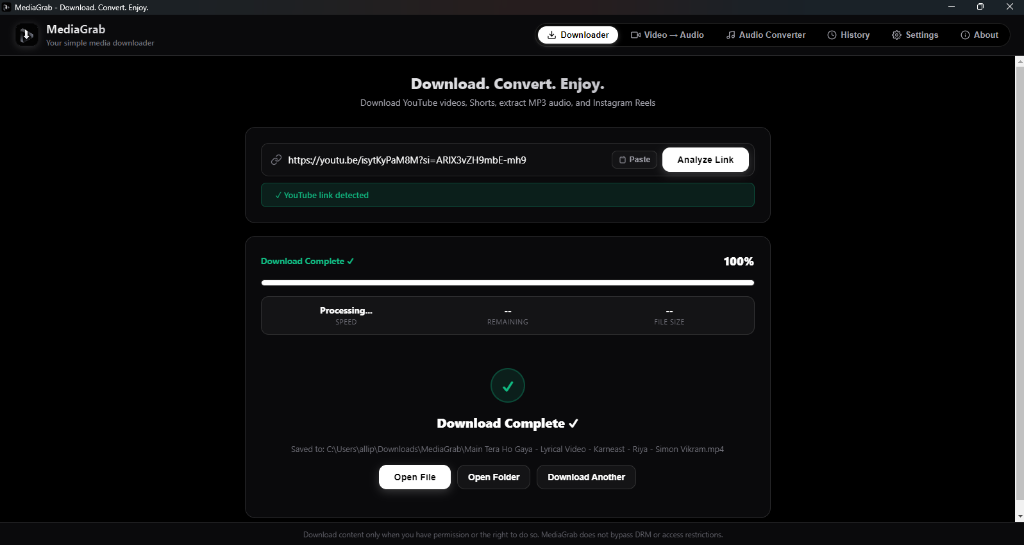
Download
Download the permitted media to your computer.
Click download and let MediaGrabs save the processed media straight to your local Downloads or chosen folder.
Supported Media Sources
MediaGrabs is tailored specifically for primary video and short-form platforms, providing reliable parsing and optimal quality.
YouTube
Full HD & 4KStandard Videos & Streams
Download permitted long-form content, educational videos, and tutorials in high-definition resolutions.
- MP4 Video (up to 1080p / 60fps)
- MP3 Audio (up to 320 kbps)
- Custom Segment Trimming
YouTube Shorts
Vertical 1080pShort-Form Vertical Videos
Quickly capture portrait-format Shorts clips with sound and high resolution for offline viewing.
- Vertical 9:16 Video
- High-Fidelity Audio
- Instant 1-Click Processing
Instagram Reels
Public ReelsPublic Reels & Clips
Download permitted public Instagram Reels directly to your hard drive with crystal-clear audio playback.
- Direct Reel Video
- Audio Track Extraction
- Clean Local File Export
Notice: Support may vary depending on platform availability, content permissions and access restrictions. MediaGrabs processes only accessible media and adheres to strict local execution principles.
Local Video & Audio Conversion
MediaGrabs also includes local media conversion tools so you can process files already stored on your computer.
100% Offline Processing
No uploading private or large files to remote servers. All demuxing and transcoding runs straight on your PC's hardware.
Video → MP3 Audio Extraction
Turn video recordings, webinars, or music clips into crystal-clear 320 kbps MP3 files with customizable sample rates and presets.
Integrated Audio Trimmer
Includes an optional audio trim toggle so you can cut intros, outros, or snippets during conversion.
MediaGrabs — Convert Video to Audio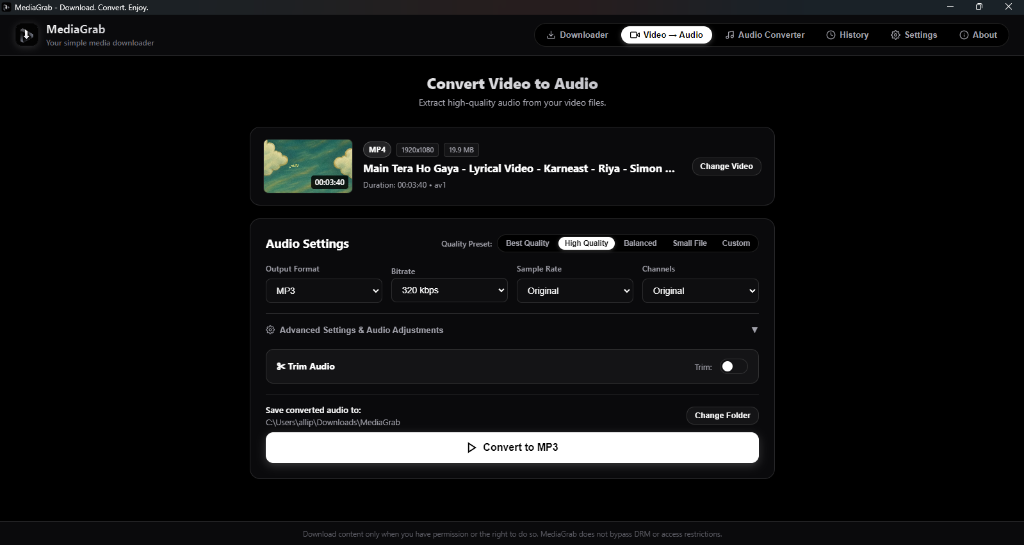
Built for simplicity.
Say goodbye to intrusive web tools and bloated bloatware. MediaGrabs provides a focused, clean desktop experience you can rely on.
Simple Interface
Designed with zero clutter. Only the controls you need to inspect, select, and process media.
Fast Workflow
Paste a link, choose your preferred format, and start saving in seconds without complex navigation.
Desktop Performance
Uses native Windows multi-threading to download and convert files with maximum efficiency.
Local Media Conversion
Includes offline transcoding tools so you can convert local videos and audios without cloud upload.
Clear Download Controls
Precise format, resolution, and clip boundary controls with transparent progress bars.
Privacy-Focused Temporary Files
Temporary stream chunks and demux caches are strictly processed locally and cleaned up after tasks.
No Unnecessary Complexity
No account logins, no recurring subscriptions, and no intrusive notification bells.
Why choose a dedicated Desktop App?
A side-by-side look at everyday media tools versus the MediaGrabs desktop utility.
| Feature Comparison | Generic Web Sites & Extensions | MediaGrabs Desktop |
|---|---|---|
| User Interface | Cluttered with deceptive popups & redirect ads | Clean, modern native monochrome interface |
| Processing Pipeline | Queued on slow remote servers with queue limits | Direct local processing on your PC hardware |
| Local Offline File Conversion | Rarely available or requires cloud file upload | Built-in offline Video → MP3 & Audio converter |
| Clip / Segment Trimming | Usually requires downloading entire video first | Select custom start & end timestamps |
| File Cleanup & Privacy | Browsing data tracked by ad networks | Temporary files purged automatically on your drive |
Designed for Everyday Productivity
Explore authentic screenshots of the MediaGrabs Windows desktop application. Clean, responsive, and crafted with attention to every detail.
MediaGrabs • Precision Clip Selection & TrimmerReady to try MediaGrabs?
Download MediaGrabs for Windows and enjoy a simple desktop media workflow.
Frequently Asked Questions
Find quick answers about MediaGrabs features, system requirements, format support, and usage policies.
MediaGrabs is a modern desktop application for Windows designed for downloading permitted online media and performing local video and audio conversions with a clean, high-performance interface.